Photos, videos & Live Photos
Bring still images and moving moments into the same creative workflow. Scrub and step through frames, play at 0.25×–2× speed, or mute the preview. Render video with the original audio preserved.
REFACEX
Swap faces in photos, videos and Live Photos on your iPhone, iPad or Mac. ReFaceX uses on-device AI to create and refine your results.
For iPhone, iPad & Mac · On-device processing


Face swap made in ReFaceX. Footage: cottonbro studio / Pexels.










Only the left face changes.









AI-generated portraits. Face swaps made in ReFaceX.
Start with a photo on your phone. Take your time with the details on iPad or Mac. A native workspace that makes the most of every screen.
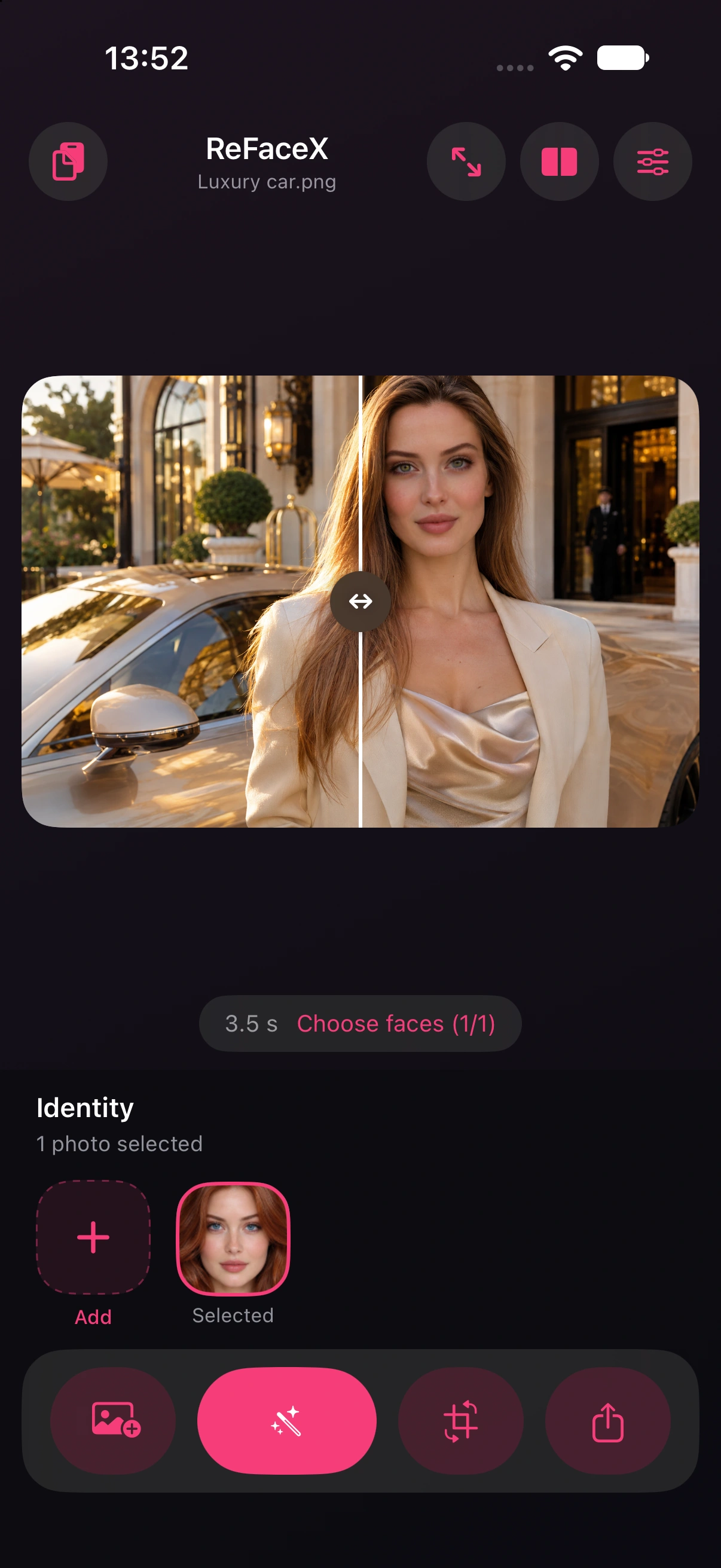
Keep identity photos beside your canvas, with space to compare and refine.
View full screenshot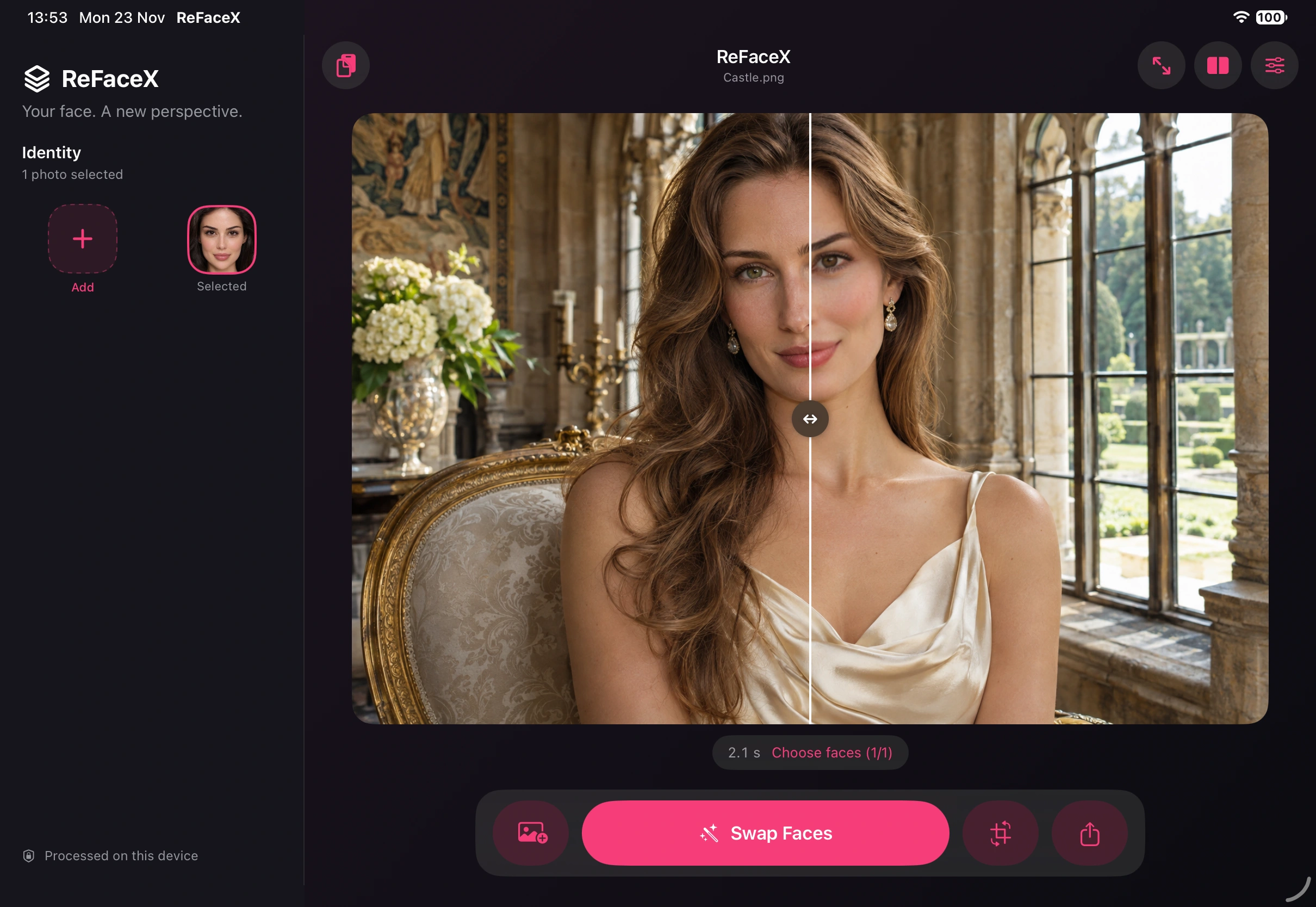
An identity sidebar, large canvas, keyboard shortcuts and settings inspector.
View full screenshot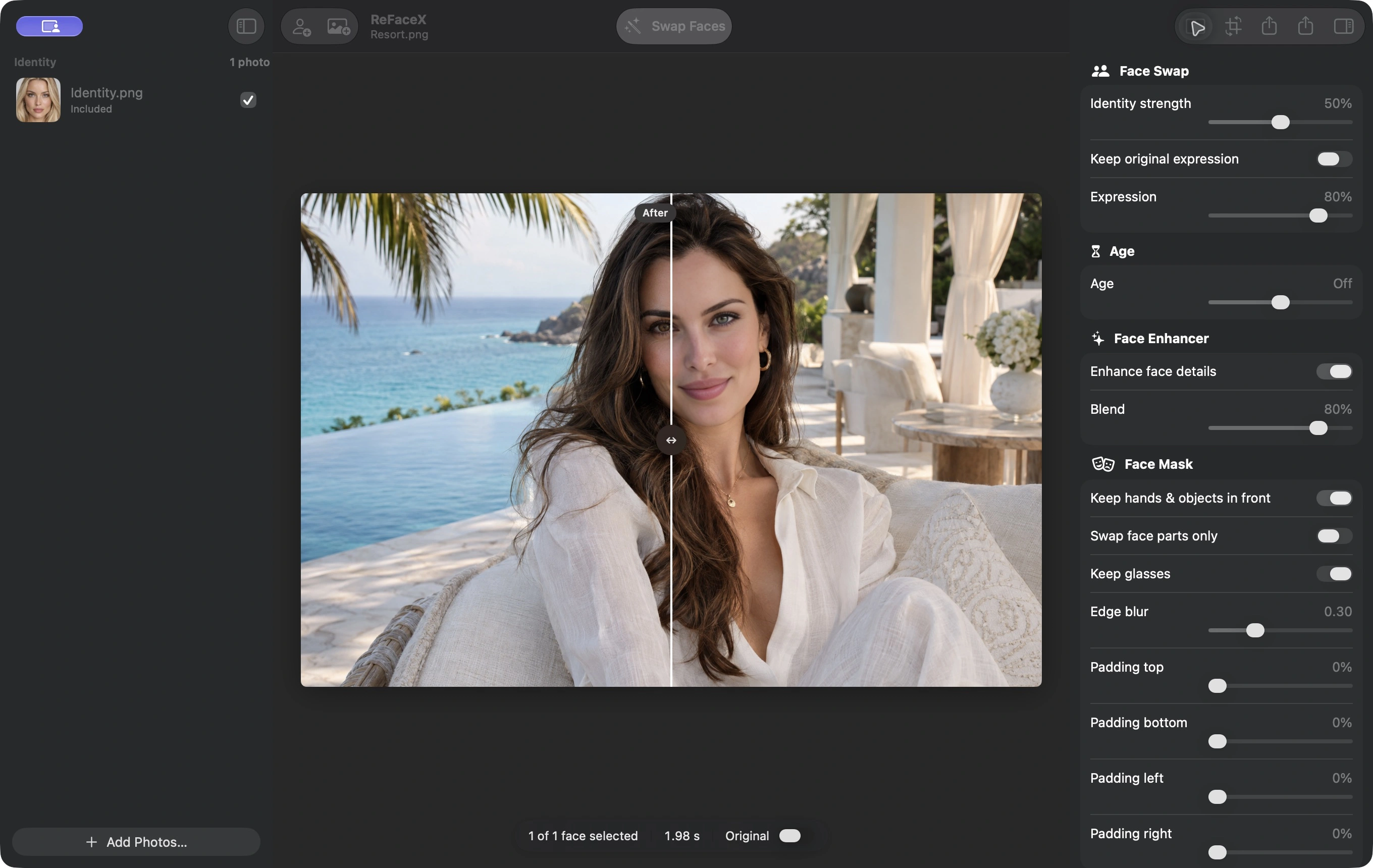
App screenshots. Check the App Store for version and device compatibility.
Photos, videos and face data are processed locally. No cloud upload is needed to make a swap.
Privacy policy →Bring still images and moving moments into the same creative workflow. Scrub and step through frames, play at 0.25×–2× speed, or mute the preview. Render video with the original audio preserved.
Detect multiple faces and select one, several or all of them. Add identity photos and choose the face you want to use. Adjust detector confidence to find small or partly hidden faces.
Dial identity strength up or down. Restore the original expression and adjust how much of the smile, eyes and mouth comes through.
Restore facial detail and adjust the enhancement blend to balance a crisp finish with the original image.
Keep hands and objects in front. Swap face parts while preserving hair and ears, with an option to keep glasses.
Fine-tune edge softness and independently adjust the top, bottom, left and right mask padding.
Make selected faces look younger or older. Use age adjustments on their own or alongside a face swap.
Cut out people and choose a background fill, including transparency for still images.
Crop, rotate and flip. Adjust brightness, contrast and saturation before creating your final image.
Use live preview, zoom into the canvas, compare with the original, and inspect detected facial landmarks.
Open media from your device, paste an image or image URL, and save or share the finished result.
Choose whether to remember identity photos locally. The interface adapts from a compact phone canvas to a wide editing workspace.
Add a clear identity photo and select the face you want to use.
Open your target media, choose the faces to change, and swap.
Compare, refine the details, then save or share your creation.
ReFaceX is an AI face-swapping app by CS Magics for iPhone, iPad and Mac. It processes photos, videos and Live Photos on your own device. It was previously called FaceTrix.
Yes. Face and media processing run on your device without cloud uploads. Importing a photo from a URL needs an internet connection. Limited installation analytics are described in the privacy policy.
No. Photos, videos, identity photos, facial landmarks and face embeddings are processed on-device and are not sent to the developer for processing or analytics. You control any media you export or share.
Yes. Select the detected faces you want to change, or choose all faces. Add identity photos and select a source face for your swap.
Yes. ReFaceX swaps faces in videos and Live Photos as well as still photos. Choose the target faces, preview a frame, render the clip and export the result with the original audio where present.
Photo and video face swaps are processed locally. The current ReFaceX processing pipeline has no content-moderation step and does not send your media to a server for content review.
ReFaceX is designed for iPhone, iPad and Mac. Check the App Store for compatibility with your device.

Create with permission. Share with context.